Supported wallets
Phantom, Solflare, Backpack, and standard Solana wallets.

Unclaimed SOL helps you reclaim SOL from unused Solana accounts and eligible rewards. Scan free, review fees, and sign in your own wallet.
Preview using public on-chain data. Prefer using your wallet? .

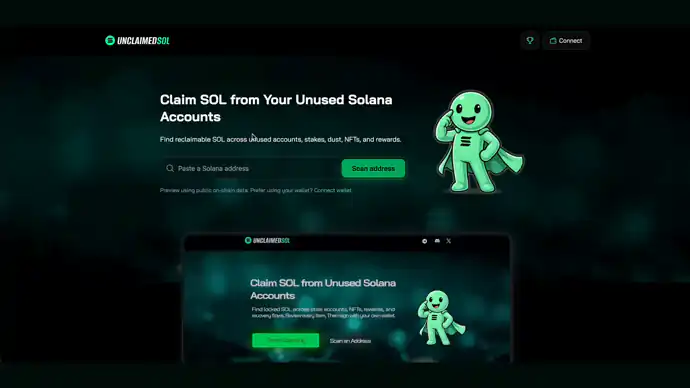
Trusted by thousands of Solana users
Unclaimed SOL scans beyond basic empty token accounts. It also checks program accounts, deactivated stake accounts, and other account types. Each one can hold SOL that already belongs to you.
Your dashboard also checks for supported airdrops and vested tokens, with links to official sites to review and claim.
Before you approve anything, the app shows the SOL you can claim, the accounts involved, and the fee taken from the result.
You keep control of your wallet throughout the process. No private keys or seed phrases are required, and every transaction is reviewed and signed in your own wallet.
Phantom, Solflare, Backpack, and standard Solana wallets.
Classic SPL and Token-2022 cleanup uses a disclosed hybrid fee per successful close, including burn-and-close flows. Metaplex NFT BurnV1 keeps its separate fixed-fee policy. Fees
You review the accounts and sign each transaction yourself.
Audit, public claim records, and safe usage checks. Security
Read reviews on

Audited by

Featured on

Every Solana account holds a small deposit called rent. The deposit keeps the account open on the network. When you stop using an account, that SOL stays locked inside it. You can close the account and get the rent back. This is what people mean by claim SOL, or reclaim Solana rent.
Most of this locked SOL sits in empty token accounts. Your wallet opens a token account each time you receive a new token. Once the balance hits zero, the account is no longer needed, but the rent is still there. Old wallets can hold many of these. Trading wallets, bot wallets, and developer wallets often hold even more.
The wallet scan checks more than empty token accounts. It also looks at Token-2022 accounts, deactivated stake accounts, program accounts, and eligible rewards. Each of these can hold SOL that already belongs to you. Scanning is free: preview by pasting an address, or connect your wallet directly to scan. Claim fees are shown before signing.
Before you sign, you see the full picture. The app shows the SOL you can claim, the accounts it will close, and the fee taken from the result. You check each item and sign in your own wallet. We never ask for a private key or a seed phrase, so you stay in control the whole time.
Fees are shown up front, so there are no surprises. Standard token cleanup lets you keep most of the SOL from each account. You can open the proof page to confirm the domain, the audit, the program, and the fee wallet first. Clear fees and an open record are what make safe wallet signing simple.
Active Solana wallets often build up locked SOL in more than empty token accounts. It can sit in many places. That includes old token accounts, program accounts, deactivated stakes, and other accounts you no longer need.
Unclaimed SOL finds those accounts, estimates what your wallet can receive after fees, and lets you approve each transaction yourself.
The service is built to be clear before you sign. You get plain fee details, supported wallet guidance, the security and verification facts, and support links in the page and the docs.
Need a citation-ready monthly snapshot instead of the live recent-claims feed? See the State of Unclaimed SOL.
Transparent record of recent claims and on-chain transaction links
Works with Phantom, Backpack, Solflare, and other standard wallets
Preview the SOL you can claim and the fees before you sign

Each record in our recent-claims table links to an on-chain account. Click any wallet address to open that account on Orb. You can then check its transactions yourself.
Public claim records and clear fees show how the service works. The security and verification hub lays out the proof before you sign.
Solana creators have compared Unclaimed SOL with Sol Incinerator-style cleanups in their own videos. This is a third-party example, not a guarantee that every wallet will show the same result.

“the fact that unclaimed sol found Solana sitting in my wallet that I couldn't reclaim with sol incinerator is kinda crazy to me”
Resource hub
Page updated . See the current fee schedule and security evidence before signing.
Paste an address for a free preview, or connect your wallet directly for a free scan. To claim, you’ll need a connected wallet. Choose a dashboard category, review the selected items, recovery amount, and applicable claim fees, then sign in your own wallet.
Yes, your dashboard checks supported airdrops and vested tokens and links to official claim sites. Connect your wallet to get started. Use Check more when available to run additional checks. Coverage is limited to supported distributions; an empty result does not prove that no opportunities exist.
Review eligibility and complete supported claims on the official project site. An original allocation does not confirm that tokens remain claimable. Vested tokens may be purchased or granted assets, and external deadlines, fees, and terms may apply. These opportunities are separate from your SOL recovery total.
The service never asks for a private key or seed phrase. You sign every transaction in your own wallet. The security and verification hub lists the domain, audit, program ID, fee wallet, and safe usage checks. Read them before you start.
No. Connect a supported wallet such as Phantom, Solflare, or Backpack and sign the transactions there. You should never paste a private key or seed phrase into a claiming tool.
Unclaimed SOL works with major Solana wallets including Phantom, Solflare, and Backpack, along with other wallets that support standard Solana transaction signing.
Unclaimed SOL shows the SOL you can claim, the fee, and the accounts it will close before you sign. It works with major Solana wallets. It also documents the security model and help resources in the docs and FAQ.
Each successfully closed classic SPL or Token-2022 account charges the greater of 2% (rounded down) or rent above 0.002 SOL, including accounts whose tokens are burned first. Metaplex NFT BurnV1 keeps its separate fixed-fee policy. Pump and PumpSwap rewards are 3%, capped at 1 SOL or 100 USDC. Stake is 3%; supported Raydium, and Meteora creator rewards and LP fees, plus Kamino Farms rewards, are 5%; excess-lamports recovery is 5%; and closing empty Kamino Farms or Marginfi accounts is 10% of the refunded account balance. Specialized recovery — 30% of successfully recovered value. Applies only to selected complex or deprecated-program recoveries. The exact gross amount, fee, fee asset, and net amount are shown before signing.
Airdrop and vested-token checks have no fee. Claims happen on the official project site under its own terms.
Yes. You can reach support on Discord. The site also includes wallet guides, a security and verification page, a fee page, and a public FAQ. When you contact support, include the current app version: 5.0.0-18d50eb